Change font size
It is currently Mon Jun 29, 2026 12:41 pm


Post a new topicPost a reply Page 1 of 1   [ 3 posts ]
Author Message
PostPosted: Thu Dec 27, 2012 6:03 pm 

Joined: Thu Dec 27, 2012 5:10 pm
Posts: 2
Hello,

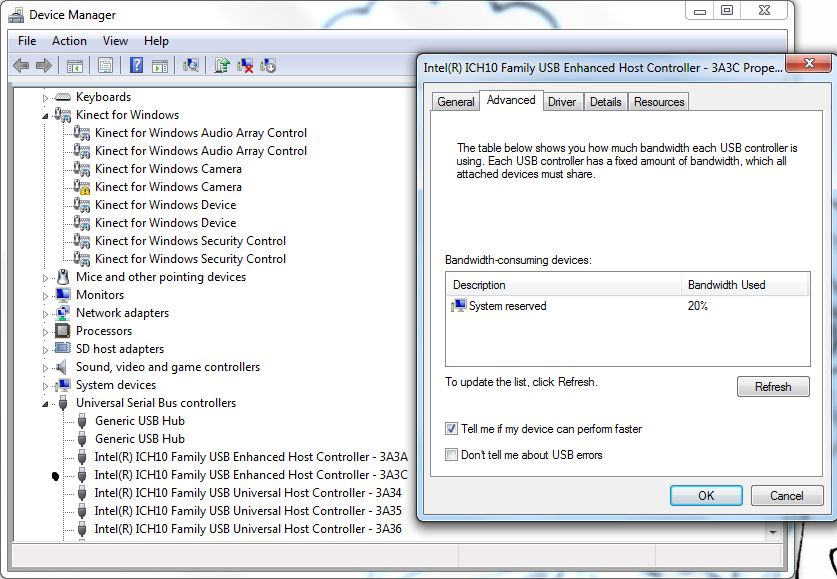
I've been trying to test out the dual kinect setup, but so far I have been unable to get the cameras to show up right in iPiRecorder.

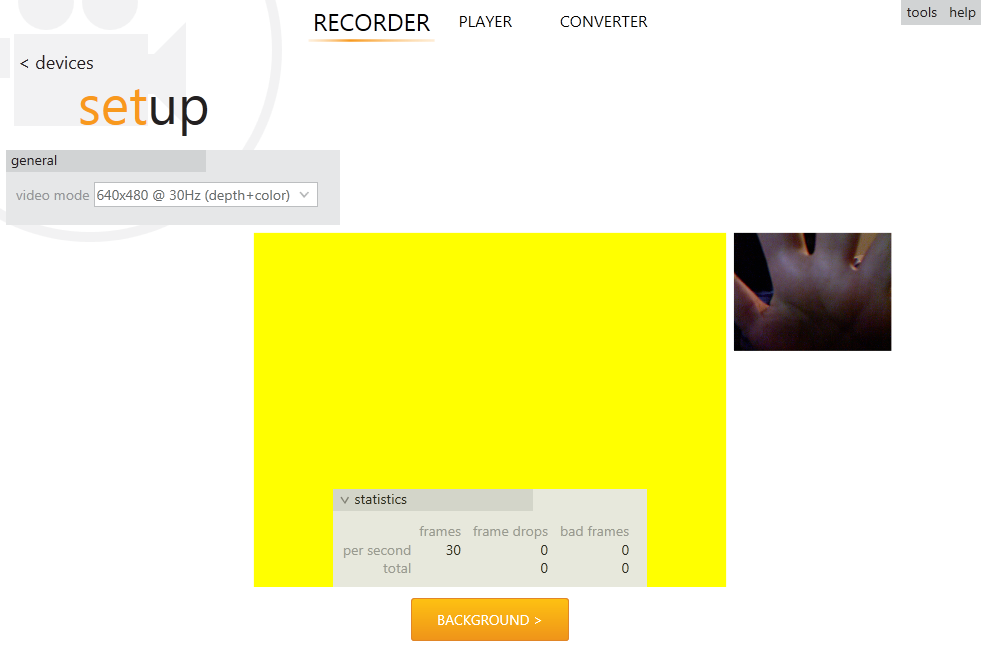
With just one camera, the depth screen is a solid yellow, and while the normal camera will work at first, it will eventually freeze. Once it freezes, it refuses to even show that much upon reopening the program - it says that the sensor is in use by another application. Even unplugging and replugging in the sensor won't make this message go away - I have to plug it into a different USB to get it back to "normal."
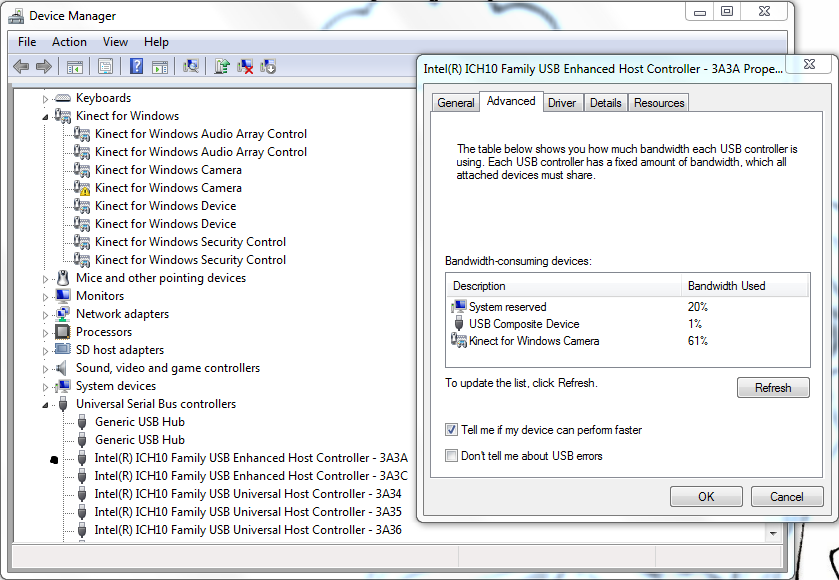
With two, both have the yellow screen problem, with only one normal camera showing up (the other being a black screen). Eventually, the same thing happens as detailed above. Additionally, it will sometimes give me a bandwidth error when trying to connect both at once, despite the fact that I think it shouldn't be a problem. (And, even if it is, I'm confused as to why it won't even work with just one.)
The second "Kinect for Windows Camera" driver has also failed to install correctly.

I have similar problems when using a different computer as well.
Both kinects are Kinect for Xbox
The computer I am currently troubleshooting with is an ASUS Notebook G72GX Series running Windows 7 64-bit.

Help would be appreciated.
Attached are images that may be helpful.


Attachments:
003.png
003.png [ 105.64 KiB | Viewed 12005 times ]
002.png
002.png [ 97.65 KiB | Viewed 12005 times ]
001.png
001.png [ 80.06 KiB | Viewed 12005 times ]
Top
 Profile  
 
PostPosted: Fri Dec 28, 2012 4:44 am 
iPi Soft

Joined: Wed Jan 11, 2012 6:12 am
Posts: 2355
Location: Moscow, Russia
Hello
Let's first try to make a single Kinect work.
Did you install Kinect for Windows SDK, or Kinect for Windows Runtime? If it was during installation of iPi Recorder, that should be SDK. Runtime does not support Kinect for XBOX properly.
When you are waving a hand near to infrared sensor (as I see on the screenshot), it may be yellow because of too close object.
Try to select depth-only video mode in iPi Recorder. Does any depth data show up?
Try all available USB ports - connect, run iPi Recorder, check image, close iPi Recorder, reconnect, and so on...


Top
 Profile  
 
PostPosted: Fri Dec 28, 2012 12:38 pm 

Joined: Thu Dec 27, 2012 5:10 pm
Posts: 2
I've installed the Kinect for Windows SDK 1.6.
The hand in the picture was just me trying to protect my identity - it shows a yellow screen no matter what.

After doing what you've said, I realized that I was only testing the single kinect setup with only one of the kinects.
So, I tried the other one by itself and - surprise, surprise, - it works fine. The depth sensor works good, and the normal camera never froze.
The other, however, continues to show a yellow screen no matter where I move it. It did show some blue-green flickering at one point, but not enough to warrant it as working. This was consistent with all the USB ports. I also noticed that the red light never lit up in the front whenever I did tests, which I now know from testing the other that it should.

I suppose that this kinect is broken - I'll have to get a replacement, unless someone knows a way it can be fixed.
Thank you for your help.


Top
 Profile  
 
Display posts from previous:  Sort by  
Post a new topicPost a reply Page 1 of 1   [ 3 posts ]


Who is online

Users browsing this forum: No registered users and 33 guests


You cannot post new topics in this forum
You cannot reply to topics in this forum
You cannot edit your posts in this forum
You cannot delete your posts in this forum
You cannot post attachments in this forum

Search for:
Jump to:  


Powered by phpBB® Forum Software © phpBB Group
610nm Style by Daniel St. Jules of Gamexe.net