|
Hi guys!
I'm trying to set up a slave for dual Kinect2 recording and encountered a strange problem with iPiRecorder on a Windows 10 notebook:
When I start the program, the main window opens but all content is blank (or transparent), nothing is displayed and nothing can be clicked on (see screenshot below). There are no error messages, I tried running from the command line but got nothing there, too.
The "Kinect SDK for Windows" installer dialog was also blank (all white) but by clicking on the right positions, I was able to finish the setup "blindfolded".
The notebook is an Asus ZenBook UX330U with i7 CPU and Intel HD 620 graphics chip. Resolution is set to "1920 x 1080 (Recommended)" but the true display resolution is 3200 x 1800.
After installing all Windows updates, checking for latest driver versions and re-installing iPiRecorder, trying compatibility mode, disabling "high DPI settings" and booting in low resolution mode I don't know what else to try.
Has anyone seen and, hopefully, fixed a similar issue?
Thanks,
Michael
| Attachments: |
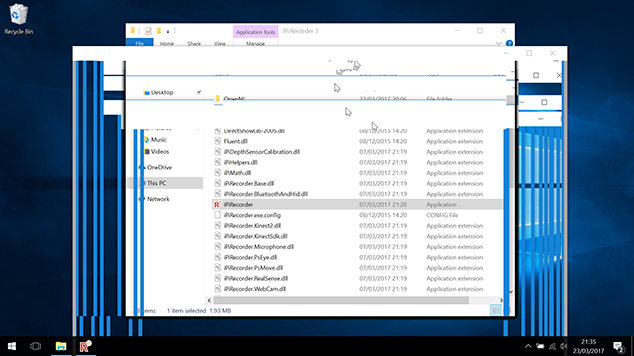
ipirecorder_problem.png [ 196.75 KiB | Viewed 15967 times ]
|
|


