Change font size
It is currently Mon Jul 27, 2026 7:24 pm


Post a new topicPost a reply Page 1 of 1   [ 4 posts ]
Author Message
PostPosted: Wed May 21, 2014 1:20 pm 

Joined: Tue May 20, 2014 3:02 pm
Posts: 2
Hi

I have a problem to import a 3D character in Ipi soft studio.

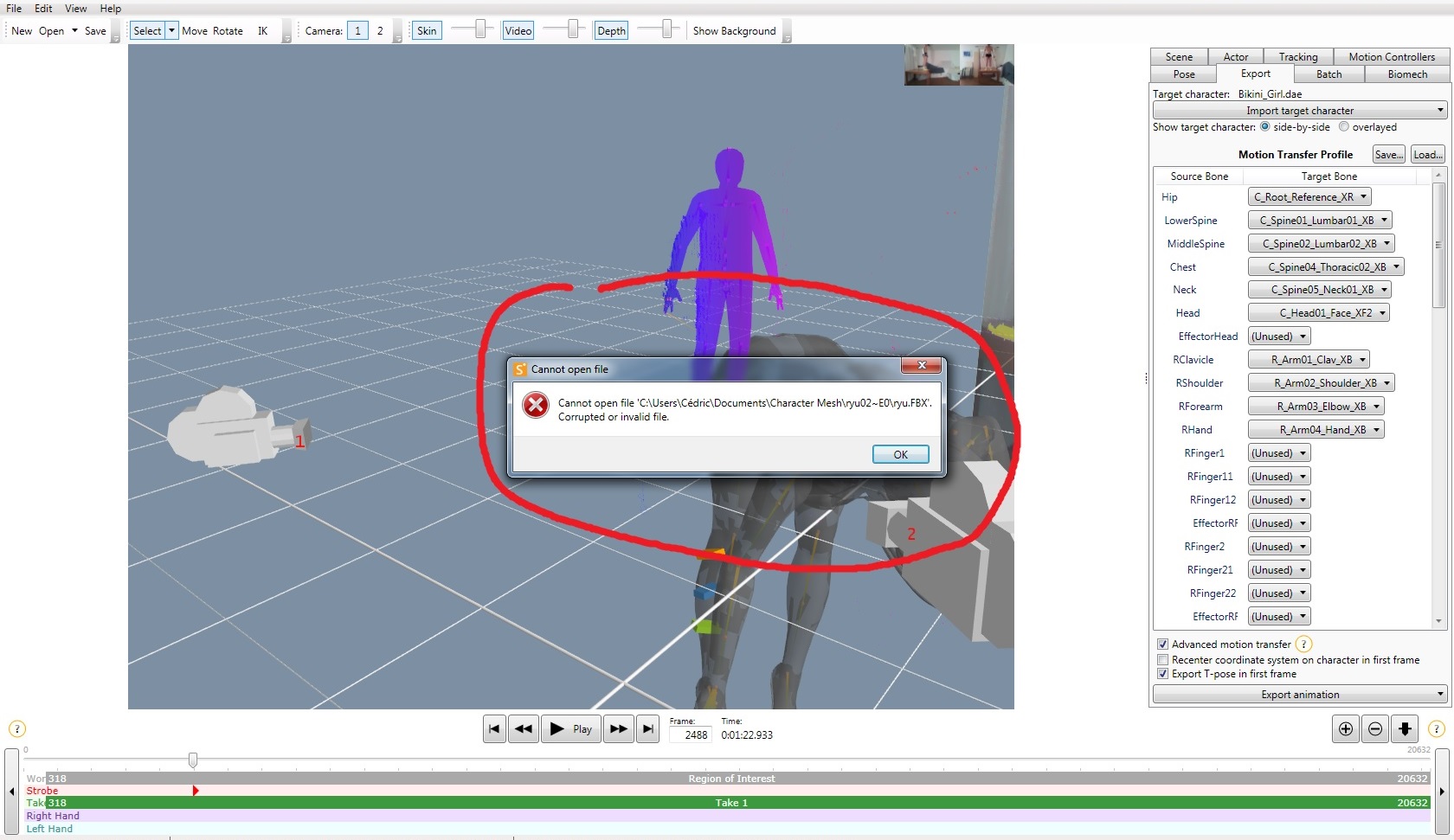
First, I can't import of 3D model in format fbx. When I importe a model in fbx format, this message appears (see screen below).
Attachment:
Bug Importing fbx model.jpg
Bug Importing fbx model.jpg [ 305.1 KiB | Viewed 14791 times ]

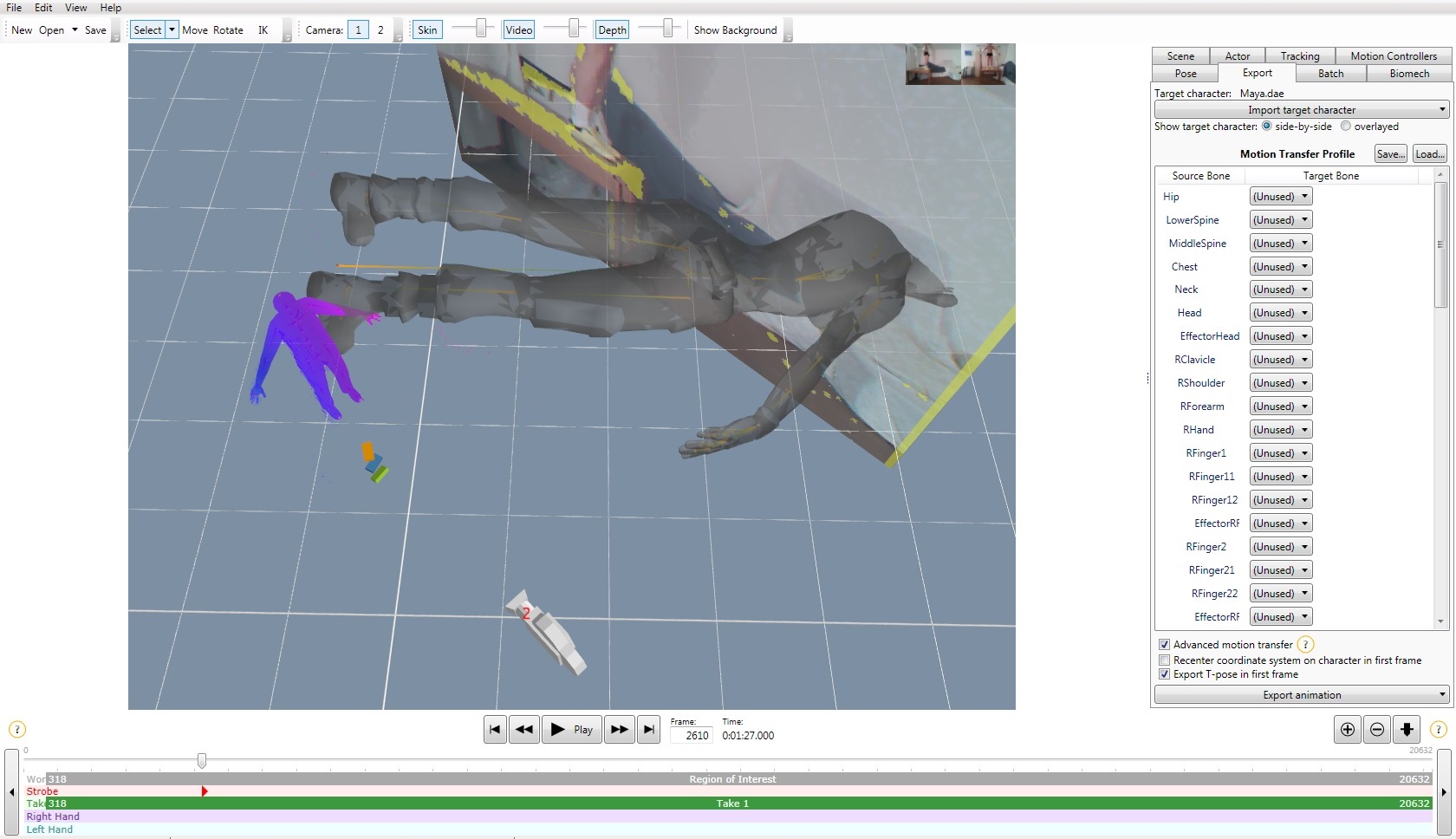
Then, when I importe a new 3D character in dae format, the character appears in T pose but perpendicularly to my actor and much bigger.
Attachment:
Bug Importing dae model.jpg
Bug Importing dae model.jpg [ 278.45 KiB | Viewed 14791 times ]

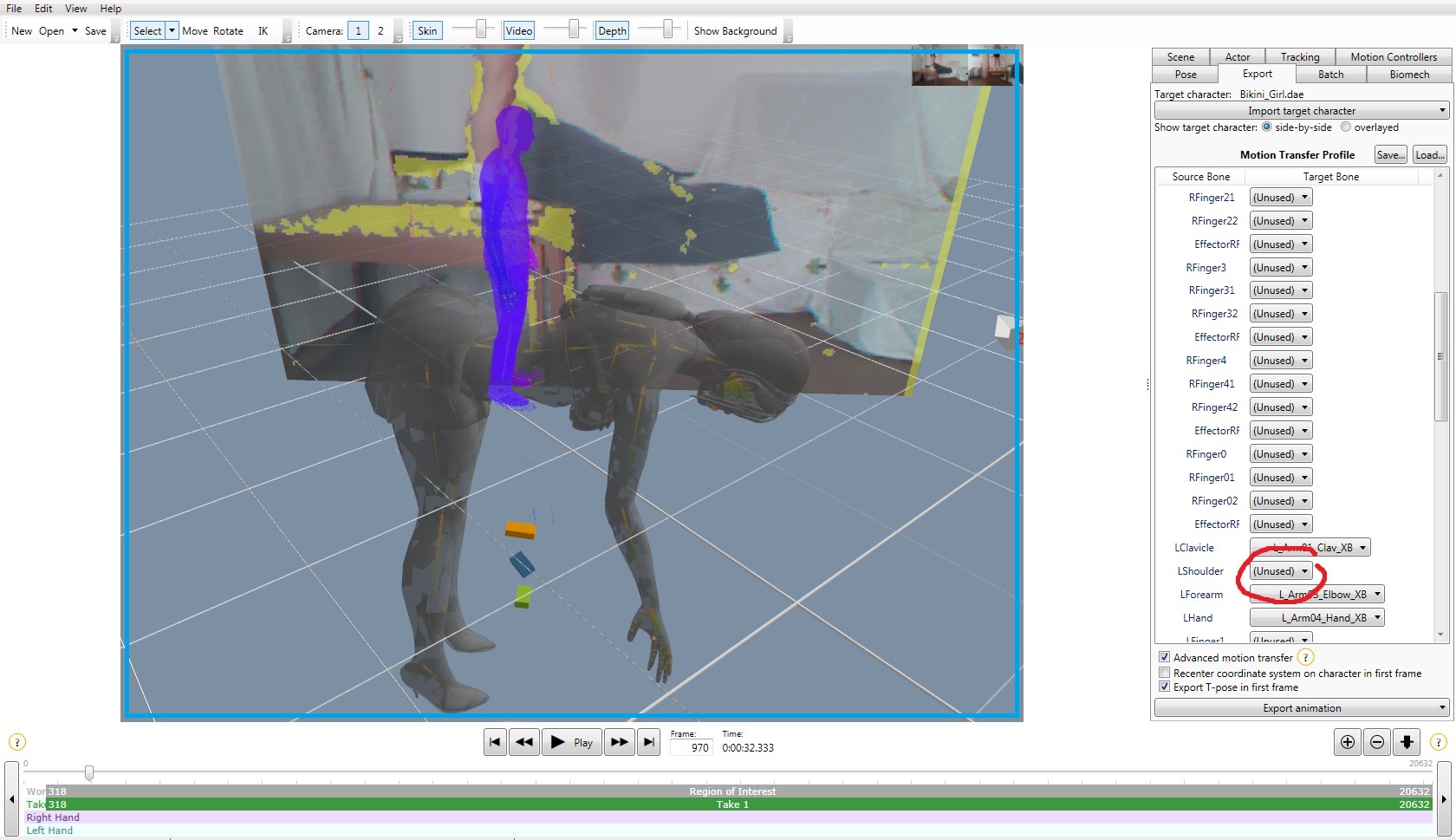
Once I have linked the Source Bones to the corresponding Target Bones, the 3D model's legs and arms seems to be ok but the torso and the head are always against the ground (see screen below).
Attachment:
Spine issue.jpg
Spine issue.jpg [ 313.85 KiB | Viewed 14791 times ]

And sometimes when I link some bones, the model becomes really gigantic compared with my actor (see screen below).
Attachment:
Spine issue.jpg
Spine issue.jpg [ 313.85 KiB | Viewed 14791 times ]


Can you help me to fix my problem ?

And thank you in advance to have read this post

Reguards

Bruzzy


Top
 Profile  
 
PostPosted: Fri May 23, 2014 4:19 am 
iPi Soft

Joined: Wed Jan 11, 2012 6:12 am
Posts: 2355
Location: Moscow, Russia
Hi

What software (and version) you're using to get your model in FBX format? Maybe, it uses some newer features of FBX format that are not supported by the current version of iPi Mocap Studio. If there're some options for compatibility with older FBX, try using them when exporting model for Mocap Studio.

Regarding orientation of the model it seems there is inconsistency in coordinate systems. Our software expects Y axis is oriented vertically, from the feet to the head of the model.

You may send us your model (both in FBX and DAE) so we may test it and possibly provide you more specific help.


Top
 Profile  
 
PostPosted: Fri May 23, 2014 7:34 am 

Joined: Tue May 20, 2014 3:02 pm
Posts: 2
Hello again and thanks a lot to answer me :3

I don't use any software to convert my models to FBX or DAE format. I download them directly by the site of TF3DM. After I have downloaded a 3D model of Tf3Dm to my computer, I come back to ipi soft sutdio and I click on Export>Import target character>Select files... and I search the FBX or DAE file in my documents. I use Ipi Mocap Studio 2.

I make it right until then ?

I send you the links so that you can download the models I used in FXB and DAE format in my instances.


Ryu model: http://tf3dm.com/3d-model/ryu-17009.html
Bikini girl model: http://tf3dm.com/3d-model/bikini-girl-20173.html
Maya model: http://tf3dm.com/3d-model/maya-89252.html


I've seen when I've read you answer I posted the second screenshot twice. I send you so the one which shows how the model begun gigantic after I've linked a Source Bone to a Target Bone...
Attachment:
Gigantic model.jpg
Gigantic model.jpg [ 227.17 KiB | Viewed 14781 times ]


Thanks again for your assistance.

Reguards

Bruzzy


Top
 Profile  
 
PostPosted: Sat May 24, 2014 2:03 am 
iPi Soft

Joined: Wed Jan 11, 2012 6:12 am
Posts: 2355
Location: Moscow, Russia
I've tried all the models from the links.
First (Ryu, FBX) has been imported without an issue. Possibly, your file was actually corrupted. However, it appears to be not rigged. There's only one bone - root. Thus it is not suitable for applying skeletal animation.
Second and third (DAE) are not oriented properly in Mocap Studio, as on your screenshots. As I've previously suggested, these models were authored so that the spine is oriented along Z axis. Mocap Studio cannot handle models with such orientation. Either you should edit these models to change the orientation so the spine goes along Y axis, or find other models which orientation suits Mocap Studio.


Top
 Profile  
 
Display posts from previous:  Sort by  
Post a new topicPost a reply Page 1 of 1   [ 4 posts ]


Who is online

Users browsing this forum: No registered users and 34 guests


You cannot post new topics in this forum
You cannot reply to topics in this forum
You cannot edit your posts in this forum
You cannot delete your posts in this forum
You cannot post attachments in this forum

Search for:
Jump to:  


Powered by phpBB® Forum Software © phpBB Group
610nm Style by Daniel St. Jules of Gamexe.net