|
Hi all. I've got a 6 PS Eye camera rig set up in my garage and I'm having a nightmare getting it to track arms. I've painted the walls white, laid down groundsheets, messed around with the lighting, dressed like an idiot to get all the colour contrasts as easy as possible for the software, but it still won't track very well.
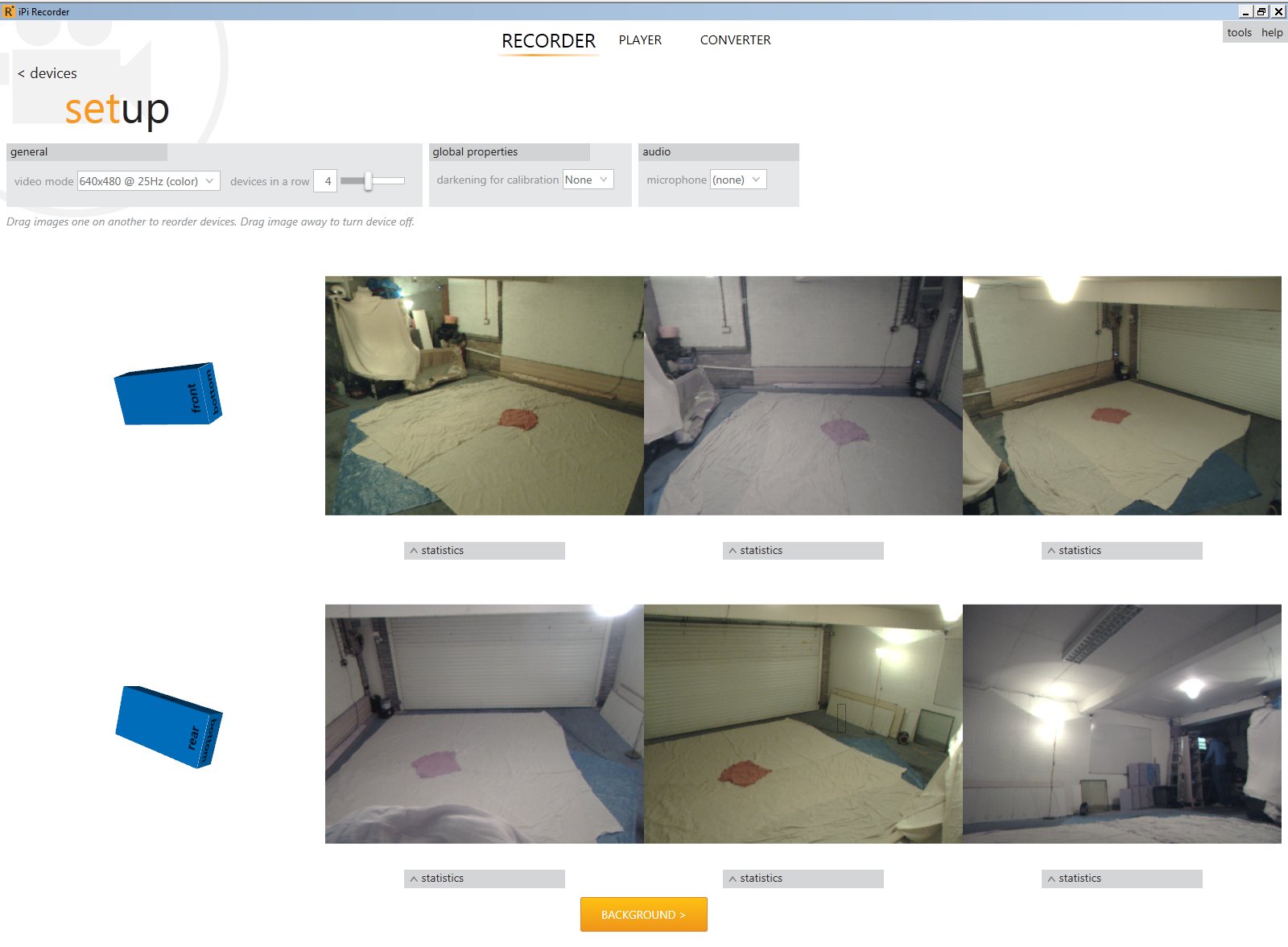
Using pose mismatch and other tools I then realised it's probably because three of my cameras have good colour saturation and three of them are horribly washed out. The pose mismatch feature shows my torso and arms being completely lost in the three washed out cameras, as they want red and black and aren't really seeing it.
I tried all the manual config options to no avail, then swapped the USB cables around different ports but the bad cameras went with them. In the end I dismounted cameras 5 (bad) and 6 (good) and physically swapped them around. You can see the results in the attached screengrab - now position 6 with camera 5 is washed out and position 5 with camera 6 is good. So it's the actual camera itself, there seems to be a significant difference, seemingly at random, between cameras, they either have good colour or washed out colour.
Cameras 2 and 4 are also bad. My red t-shirt is in the centre of the stage for reference. You can see why IPISoft loses track of me on those cameras!
Has anyone else experienced this? Is there a better fix than "keep buying PSEye cameras off ebay until you've got a matching set"? Two of the cameras are rev1 and four are rev2 according to the model numbers and the USB Hardware ID properties, so it's not even a revision in hardware :(
It's really annoying me as I used to have a 3 camera Logitech setup under v1 of the software that worked better than this in the end :)
-Ian
| Attachments: |
File comment: Colour saturation differences between identical cameras
camera colour differences.jpg [ 145.65 KiB | Viewed 19486 times ]
|
|


